Table of Contents
Cloud Account Management
Overview
Criterion's cloud features enable users to collaborate securely when creating digital critical editions. All account operations are performed directly from the desktop application, in compliance with GDPR Regulation (Art. 17 – “right to be forgotten”).
Account management allows users to create, modify, and protect their profile independently, securely, and without requiring interaction with external web portals.
Accessing Account Management
Account management features can be accessed via three equivalent paths:
| Operating System | Access Path |
|---|---|
| Windows / Linux | File → Sign In |
| macOS | Criterion → Sign In |
| All Systems | Settings → Preferences → Account tab or click the User Avatar Component above the toolbar |
If the user is not authenticated, a login form is displayed with a Create Account option for initial registration.

Creating a New Account
To register a new Criterion account:
1. From the login form, click Sign up
2. Fill in the mandatory fields:
- Name and Surname (max 50 characters; letters, spaces, apostrophes)
- Email (unique, case-insensitive)
- Password (minimum 8 characters with: uppercase, lowercase, number, symbol from !#@&%$; no spaces)
- Confirm Password
- Mandatory checkbox: "I accept the Terms of Use and Privacy Policy"
3. Optional fields:
- Institution/Home University
- Keywords (max 8 keywords; max 40 characters each)
4. Click Create Account
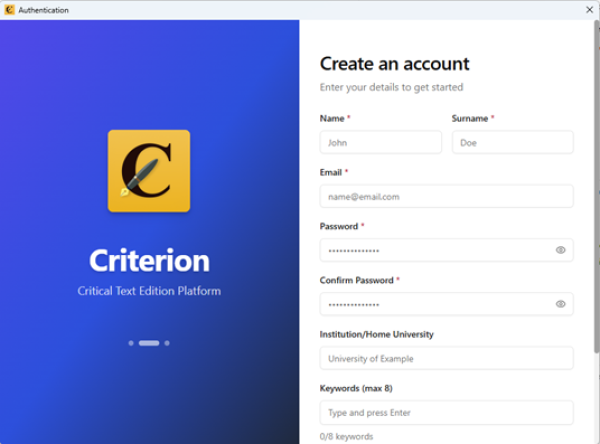
After submission:
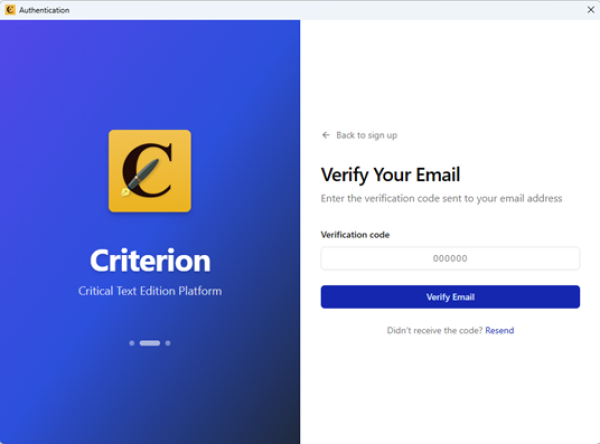
- The system shows the verification email page
- A 6-digit verification code is sent (valid for 16 minutes)
- After successful verification, the account is activated and the user can log in
- A welcome email is sent from criterion-itserr@d4science.org
Prerequisites for Cloud Features
To use cloud collaboration features:
- The user must be authenticated (Sign In completed)
- The device must be online (active Internet connection)
- The document must have been saved as a .critx file on disk (not an unsaved “virtual” document)