
criterion:profile
This is an old revision of the document!
Table of Contents
Profile Editing and Account Deletion
Profile Editing
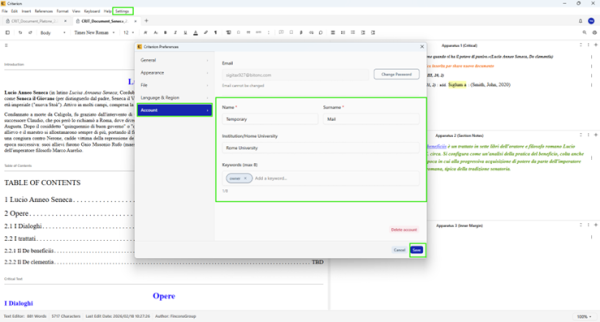
Once authenticated, users can modify their personal data:
1. Open **Settings → Preferences → Account tab**
2. Click **Edit Profile** (top right)
3. Modify:
  * Name and Surname
  * Institution/Home University
  * Keywords (max 8)
4. The system automatically cleans redundant spaces and avoids duplicates among keywords
5. Click **Done** to save or **Cancel** to discard
Changing Password
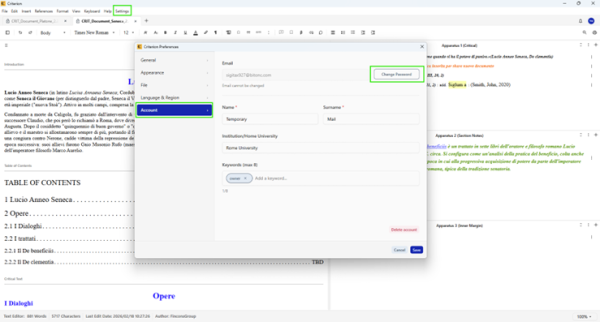
To change your password:
1. From the Account tab in Preferences, click **Change Password**
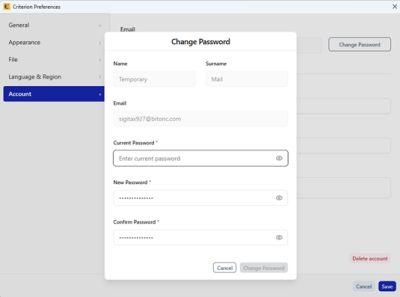
2. Complete the form with:
  * Current password
  * New password (must comply with security policy)
  * Confirm new password
3. Click **Change Password**
4. After confirmation:
  * The password is updated
  * A notification email is sent to the user
  * The user is automatically logged out
  * They must log in again with the new password
Account Deletion (GDPR Art. 17)
Warning: Account deletion is irreversible. Documents shared by the user are physically removed; collaborators who have not downloaded them permanently lose access.
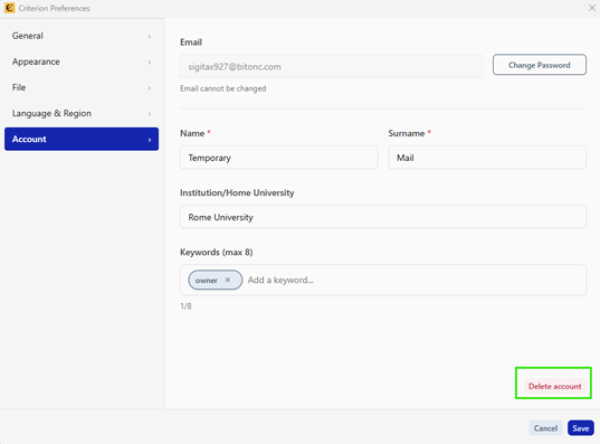
To delete your account:
1. From the Account tab in Preferences, click **Delete my account**
2. In the confirmation modal:
  * Enter **Current password**
  * Check the mandatory checkbox: //"I understand this action is irreversible and all my data will be permanently deleted"//
3. Click **Delete Account** (enabled only if password is correct and checkbox is selected)
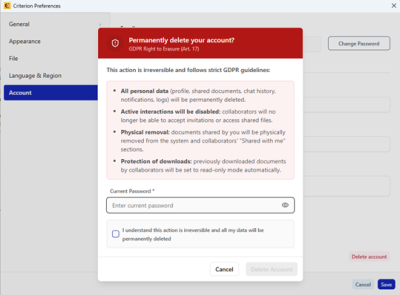
The system executes:
- Immediate revocation of all permissions on shared documents
- Physical deletion of all personal data (profile, shared documents, chat history, notifications)
- Deletion of chat history with all collaborators
- Confirmation email sent to the user
- Email sent to affected collaborators (notification of document unavailability)
- Automatic logout
criterion/profile.1772807757.txt.gz · Last modified: by fincons